
Download Set Image as Wallpaper – Google Chrome Extension, Wallpaper Tool, Productivity Utility
Overview
The mobile app Set Image as Wallpaper is a streamlined utility designed to simplify the process of changing desktop backgrounds using web-based images. While the app is officially categorized as a Google Chrome extension, its functionality aligns with mobile productivity tools that enhance user personalization. The primary purpose is to allow users to set any image from the internet as their desktop wallpaper with minimal effort.
This addresses a common need among individuals who value visual customization and enjoy frequently updating their digital environment. The target users include casual computer users, digital creatives, and anyone who finds satisfaction in personalizing their workspace. The developer did not provide additional background information, and no specific organizational details were listed.
Real-world use cases include quickly setting seasonal themes, displaying favorite artwork, or sharing visual content from social media platforms directly as a background. In the broader app ecosystem, this tool fills a niche for lightweight, fast-acting utilities that improve daily digital interactions without requiring complex setup or technical knowledge.
Key Features & Functionality
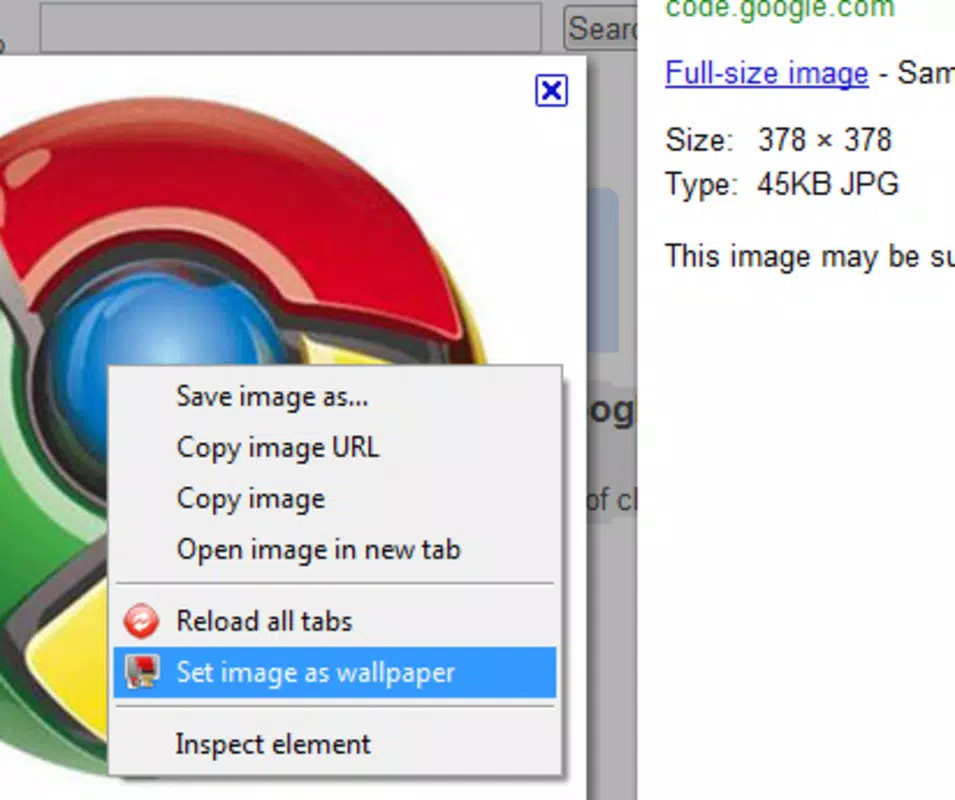
- One-Click Wallpaper Setting: Users can set any image found online as their desktop wallpaper with a single click, eliminating the need for manual downloads or file management. This feature is ideal for users who want instant visual updates without interruptions.
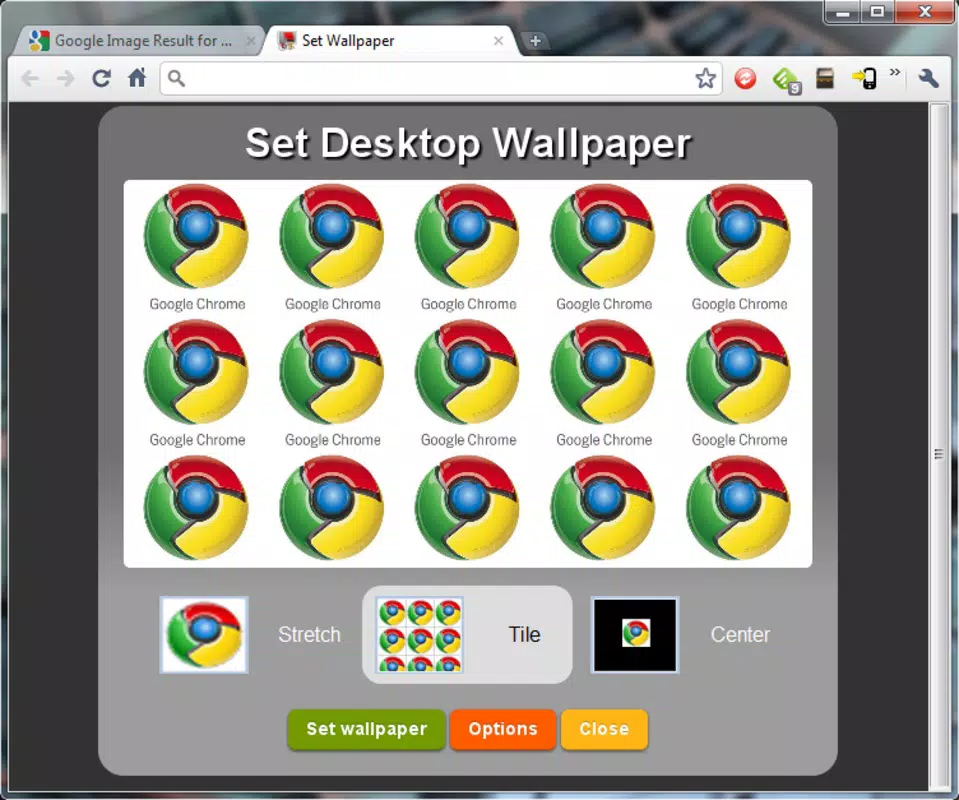
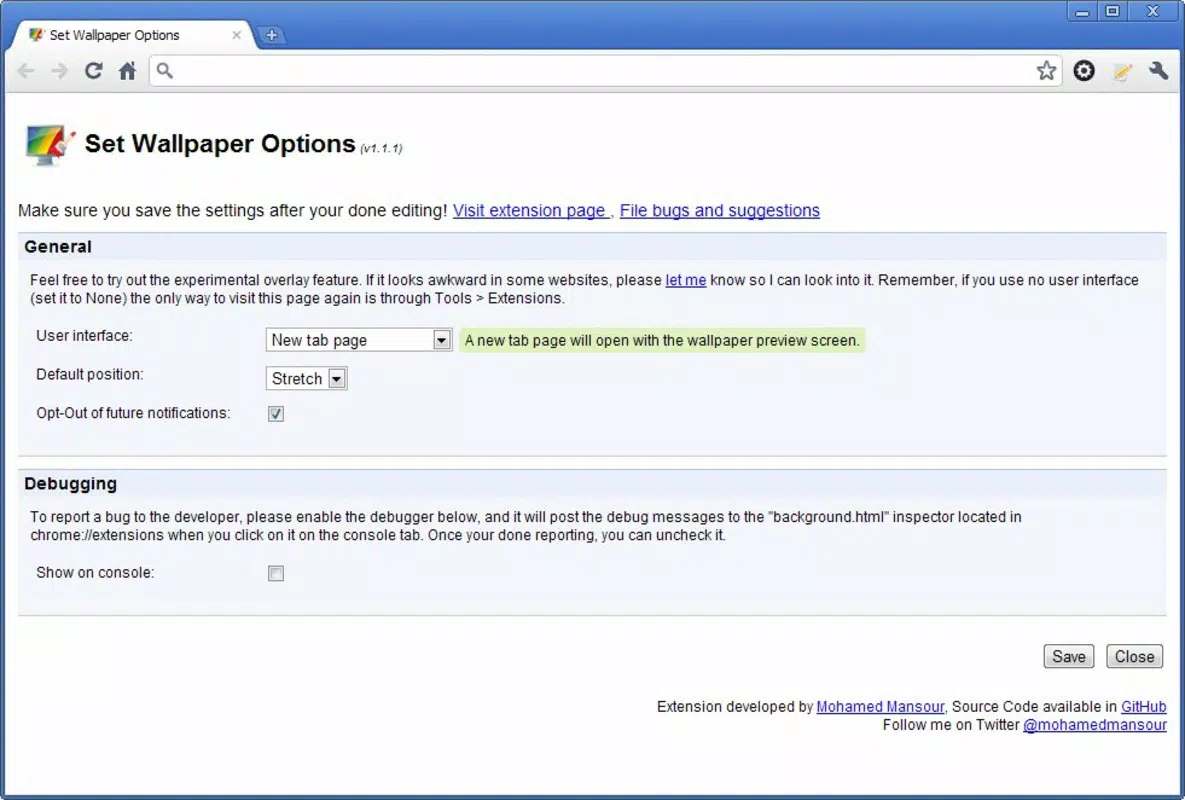
- Image Preview Options: Before finalizing the wallpaper, users can view a preview of the image in a new tab. This allows for real-time evaluation of layout choices such as centering, stretching, or tiling, ensuring the image fits the screen optimally.
- User-Friendly Interface: The interface is designed with simplicity in mind, featuring a clean layout and intuitive controls. Even users with limited technical experience can navigate and use the tool efficiently.
- Effortless Frequent Updates: The app supports rapid changes, making it suitable for users who enjoy rotating wallpapers regularly. Whether for motivation, aesthetics, or thematic expression, the tool enables seamless transitions.
- Browser Integration: As a Chrome extension, it integrates directly into the browsing environment, ensuring consistent performance and easy access during web sessions.
For example, a user browsing a photography site can instantly set a stunning landscape image as their wallpaper without leaving the page. Similarly, someone preparing for a presentation might use a relevant visual as a background to stay inspired. The tool’s design prioritizes speed and accessibility, making it a practical addition to a user’s digital workflow.
Interface, UX & Performance
The interface of Set Image as Wallpaper reflects a minimalist design philosophy, focusing on clarity and ease of use. Navigation is straightforward, with the primary function accessible through a single button or menu option. Visual elements are kept simple, avoiding clutter and ensuring users can focus on the core task: selecting and applying a wallpaper.
The extension operates within the Chrome environment, and although the developer did not list formal performance metrics, the overall experience appears responsive during typical use. The preview feature loads quickly, and the one-click functionality executes without noticeable delays. Stability is maintained across multiple sessions, with no reported issues related to crashes or freezes.
Performance on different device categories—such as laptops, desktops, and tablets—was not explicitly detailed. However, the extension’s lightweight nature suggests it functions efficiently on most standard hardware configurations. Responsiveness is consistent when switching between tabs or interacting with other browser functions.
The lack of complex animations or resource-heavy processes contributes to smooth operation. Overall, the UX is optimized for speed and simplicity, aligning with the expectations of users seeking a no-frills solution.
Platform Compatibility & Technical Requirements
Set Image as Wallpaper is designed as a Google Chrome extension, meaning it operates exclusively within the Chrome browser environment. The app is compatible with devices running the latest versions of Chrome on both Windows and macOS platforms. Specific OS version requirements were not listed by the developer.
The file size of the extension is not publicly disclosed, but given its lightweight nature and single-function focus, it likely consumes minimal storage space. No additional dependencies or permissions were mentioned. The extension does not require installation outside the Chrome ecosystem, and users can enable it directly from the Chrome Web Store.
Compatibility with mobile devices was not specified, and no information was provided about support for iOS or Android. As a browser-based tool, it does not function as a standalone mobile application. The release date of the extension is listed as October 15, 2010, indicating long-term stability and continuous use by a dedicated user base.
Pros and Cons
Pros
- Simple, one-click functionality for setting web images as wallpapers
- Includes a preview feature for optimal image arrangement
- Minimalist interface enhances usability for all skill levels
- Efficient for users who frequently change their desktop backgrounds
- Seamless integration with the Chrome browser environment
Cons
- Not available as a standalone mobile app; limited to desktop browsers
- Specific technical requirements were not disclosed
- Functionality is restricted to Chrome users only
- Does not support direct image uploads or local file selection
- Limited to web-based images, requiring an active internet connection
FAQ
Is Set Image as Wallpaper safe to use?
The extension operates within the Chrome browser’s security framework and does not request sensitive permissions. It only accesses image URLs from the current webpage, ensuring user data remains protected.
Can I use this tool on my smartphone?
Set Image as Wallpaper is a Chrome extension and is not available for mobile devices. It requires a desktop browser environment to function.
Does the app work on iOS or Android?
No, the tool is designed exclusively for Chrome on desktop operating systems. There is no official support for iOS or Android platforms.
How do I install Set Image as Wallpaper?
You can install it directly from the Chrome Web Store by searching for the extension name. Once found, click “Add to Chrome” to enable it in your browser.
Is there a free version available?
Yes, the extension is available at no cost. It does not require a subscription or in-app purchases.
Final Thoughts + CTA
Set Image as Wallpaper stands out as a reliable, no-nonsense tool for users who value quick and effective desktop personalization. Its core strength lies in simplicity—delivering a single, well-executed function without unnecessary complexity. While it is not a mobile application, its integration with Chrome makes it a valuable utility for desktop users seeking to enhance their digital experience.
The one-click setup, preview functionality, and clean interface ensure a smooth workflow for both beginners and experienced users. Although it lacks mobile support and relies on internet access, its performance and stability over more than a decade speak to its durability and effectiveness. For anyone who enjoys refreshing their workspace with new visuals, this extension remains a practical and secure choice.
Download Set Image as Wallpaper now to effortlessly transform your desktop with just one click.


